
 Française
 Deutsch
How to change the dictionary language in Scrabble Go?
You can select multiple languages for your dictionary support in Scrabble Go. To change the dictionary, go to your Profile page by tapping on your icon in the top left. Then, tap on the Settings button in the top right.
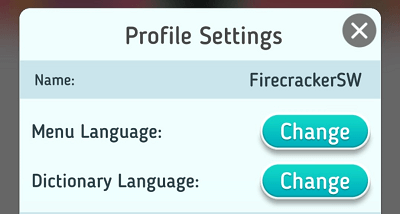
There you will see options to change the Menu and Dictionary Language. By tapping on the dictionary Change button you can view the 7 different languages to use. Currently there is English (US), English (UK), Français, Italiano, Deutsch, Español, and Português.
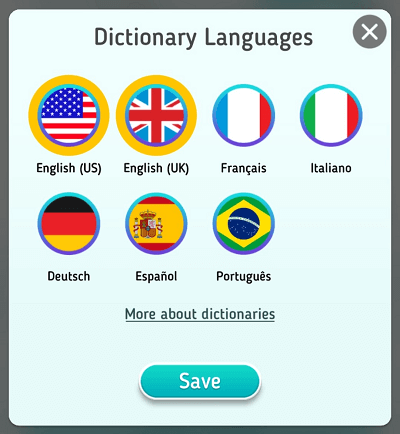
After selecting which language dictionaries you want to use. Tap the Save button at the bottom of the dialog and exit the Settings.